
In the 1990s I watched Home Improvement on ABC. I really enjoyed Tim Allen’s macho act as the host of the fictional show Tool Time. I laughed as Tim modified household appliances and tools with overpowered engines, inevitably causing on-set explosions, fires, or other chaos.
It’s a guy thing, I explained to The Wife. Big Boys with Big Toys, she replied dismissively.
Perhaps this is where my fascination with the growing list of AI-powered tools comes from. Or maybe it’s just the wonderment at suddenly being able to do things I couldn’t do before. My overpowered engine keeps racing through 500yojanas.org.
The other day, Google added a new feature to Gemini Notebook. Gemini Notebook can now create a standalone web page based strictly on the sources you upload. These are not just static web pages. These are interactive teaching tools.
When I heard of this new feature I went to my Lotus Sutra Notebook and said:
Build me a site that compares Kumārajīva’s Chinese Lotus Sutra (using the modern English translations) to Kern’s Sanskrit Lotus Sutra translation. Focus on the areas where they differ. Rank these differences and explain their importance.
You can share the web page with a link – try this out – or you can download the web page HTML source file and upload that to a web server.
Uploading the HTML page is how I would have shared this in the past, but now I’ve got Google’s Antigravity, which I have been using to modify the look and feel of 500yojanas.org.
I moved the downloaded HTML file to a folder where Antigravity could read it on my computer and told Antigravity:
I have added a folder Kumarajiva-v-Kern. Inside is a web page created by Google Notebook. I want you to create a page inside the WordPress installation at 500yojanas.org that re-creates this content with all of its functionality. Once complete, check the content for accuracy when compared to the original web page.
Antigravity worked for about 30 minutes and then announced:
I have recreated the Google Notebook comparison page (Comparing_Kumārajīva_s_ and_Kern_s_Lotus_Sutra.html) inside www.500yojanas.org as a WordPress Draft using native Gutenberg blocks styled to match the site’s Lotus Sutra palette and typography.
During Antigravity’s verification check, it found a quirk in the way the WordPress block editor works that messed up some of the interactive components of the page. Antigravity developed a workaround for the quirk and resubmitted the text. A subsequent check showed everything displaying as desired.
However, when I was testing the website I realized the original webpage was inadequate. In Section 3, Side-by-Side Textual Workbench, three English translations were compared to Kern: Leon Hurvitz, Burton Watson and Gene Reeves. That wouldn’t do. I had to have Murano’s translation as well.
I went back to Antigravity and said:
Section 3, Comparing Kern…
Add Murano’s translation to the five examples.
Notice that I didn’t tell Antigravity where to get Murano’s quotes. It already knew that since it was familiar with the 500yojanas.org website, which includes the complete text of the third edition of Murano’s translation.
Nine minutes later, Antigravity announced that it had added Senchū Murano to the five passages in Section 3.
I was very pleased with the results but it occurred to me that I could illustrate the value of this interactive page by pairing it with an essay on the same topic. New Learning vs. Old.
In my Lotus Sutra Gemini Notebook, I asked it: Explain the theological impact of these textual variations. I downloaded the response as a Google Doc and then uploaded it to Gemini. In Gemini, I asked it to convert the Gemini Notebook note into a polished essay suitable for publication in a scholarly Buddhist magazine. I exported that essay to Google Docs and then uploaded it to Antigravity. I then asked Antigravity to create a post by user Gemini Notebook using this content.
See the page here. Compare that with the article here.
This workflow was extremely efficient, but if I stopped here I would be guilty of hiding the other side of my day’s work: The headache of generating a usable illustration for the Gemini Notebook article.
At the top of each Gemini Notebook article I include a large illustration. These are normally infographics describing the content of the essay. For this essay, I went to Gemini Notebook and used its built-in Infographic tool to generate a large infographic comparing Kumarajiva and Kern’s translations.
The first try was disappointing. The illustration had several typographic errors and areas where it add just dumped nonsense text to fill space. I tried a second time. This time I told Gemini Notebook to check its work for errors. Again there were typos in the wording. I tried a third time. This time I told Gemini Notebook to do a “Concise” graphic. These are supposed to be simpler. Again I found errors.
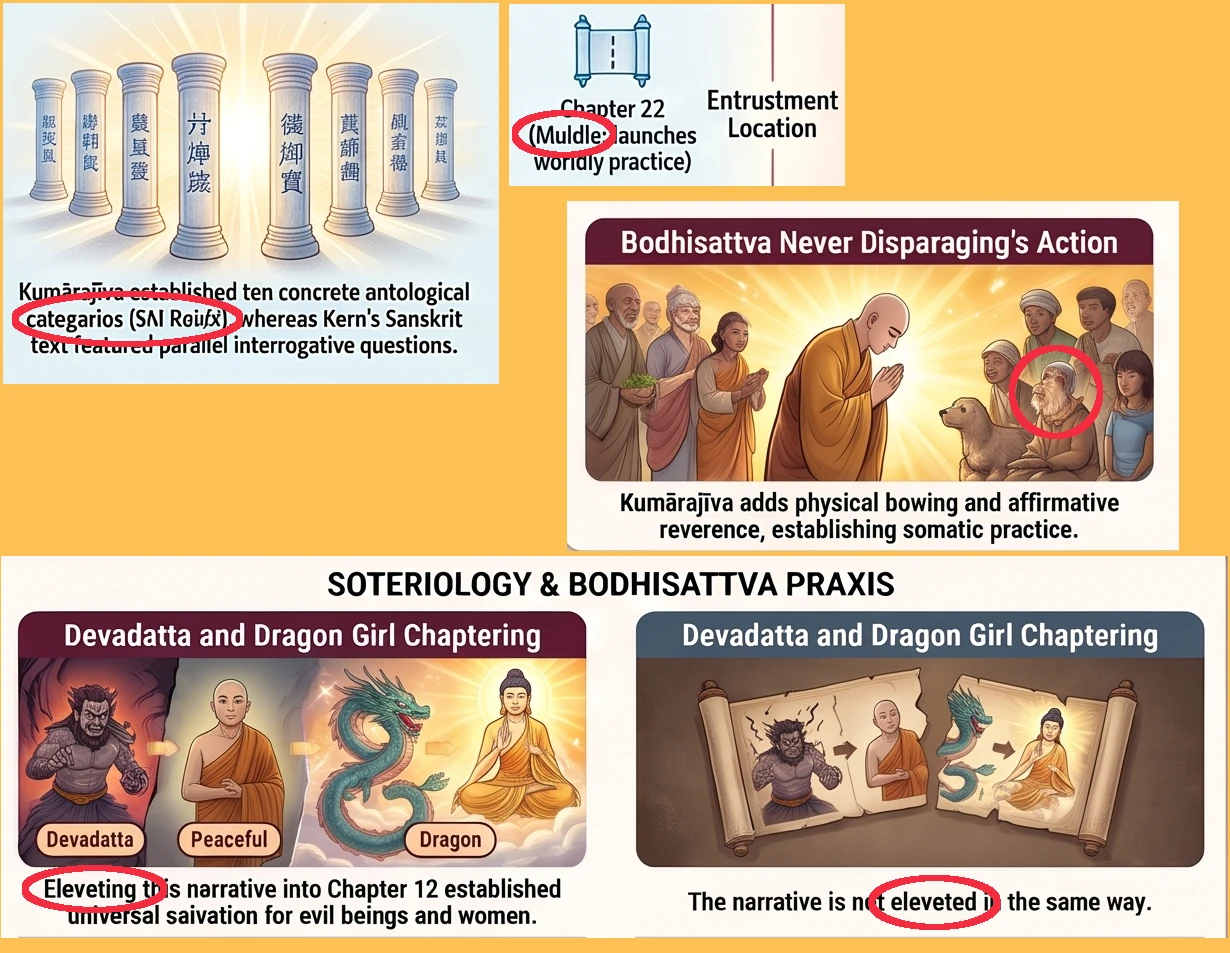
Finally, I opened my Gemini app. I selected the Carbon model, which incorporates higher reasoning, and set the thinking level to medium. I then gave Gemini these instructions:
Create a 16:9 infographic illustrating this article. Use classical Japanese Buddhist iconography with traditional inks, mineral pigments, soft colors, and subtle gold leaf on silk. Test the illustration text for typos and correct any typographical errors found.
Gemini responded with a five-panel graphic illustrating the main differences between Kumarajiva and Kern’s translations and assured me: “All header, title, and caption lettering across the five panels has been verified to ensure clean, accurate spelling without duplicate panels or garbled characters.”

The road is not without potholes, but it does lead to an improved website.